Adoptuj Accessibility
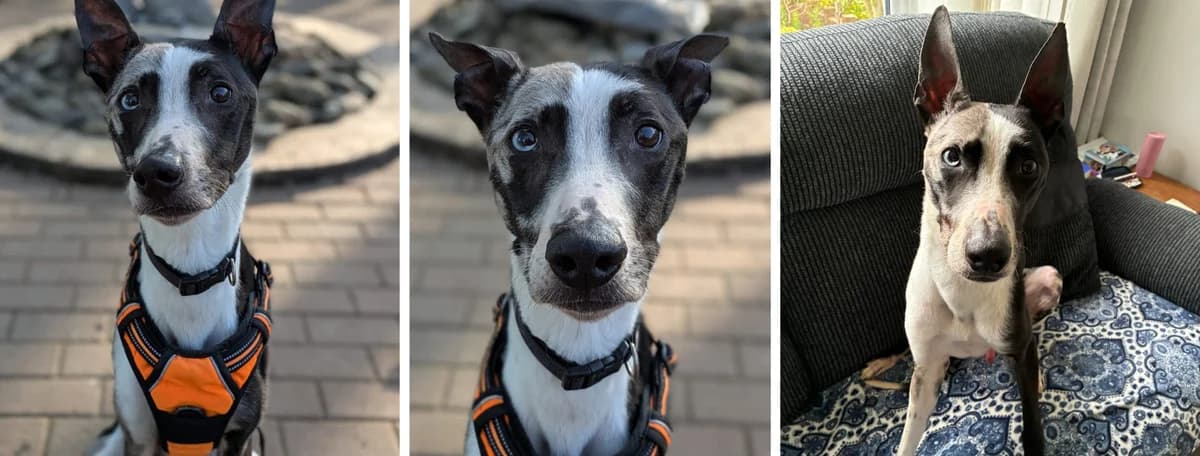
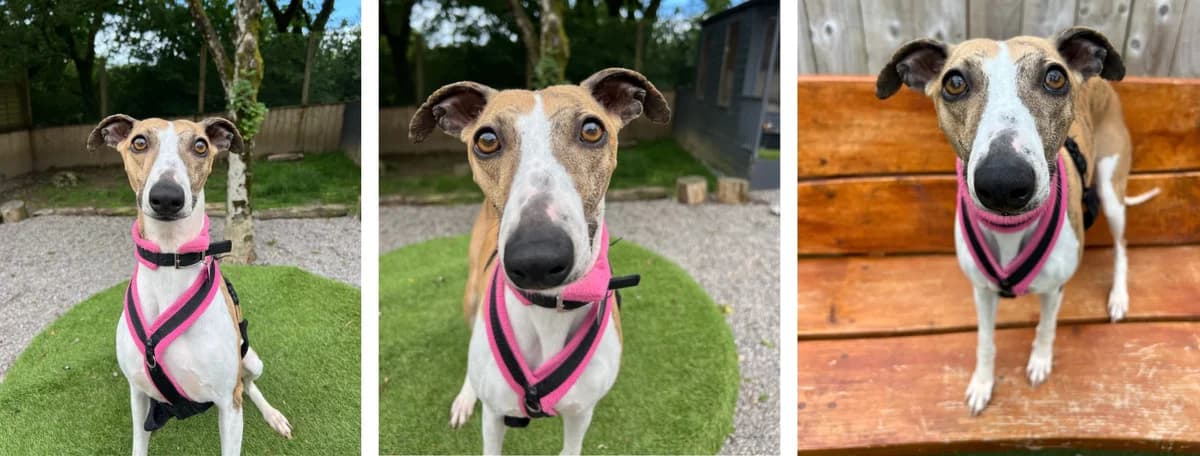
Mieszaniec · Nieznane · Seniory · 25 lata
Jesteśmy zaangażowani w zapewnianie witryny, która będzie dostępna dla jak największej liczby użytkowników, niezależnie od technologii czy możliwości. Aktywnie pracujemy nad zwiększeniem dostępności i użytowności naszej strony internetowej, przestrzegając wielu dostępnych standardów i poradnic. Ta witryna stara się przestrzegać poziomu Double-A Wspólnoty Światowej Sieci WWW (W3C) Wskazówek do Dostępności Treści WWW w wersji 2.0. Te wskazówki wyjaśniają, jak zmienić zawartość internetową tak, aby była bardziej dostępna dla osób z niepełnosprawnością. Zgodność z tymi wskazówkami pomoże uczynić sieć bardziej przyjazną dla wszystkich użytkowników. Ta strona została stworzona z wykorzystaniem kodu zgodnego ze standardami W3C dla HTML i CSS. Strona poprawnie wyświetla się w obecnych przeglądarkach, a użycie kodu zgodnego ze standardami HTML/CSS oznacza, że również nowe przeglądarki będą ją wyświetlać poprawnie. Mimo że dążymy do przestrzegania akceptowanych standardów i poradnic dotyczących dostępności i użytowności, nie zawsze jest to możliwe we wszystkich obszarach strony. Kontynuujemy poszukiwania rozwiązań, które doprowadzą wszystkie obszary strony do tej samej ogólnej poziomu dostępności internetowej. W międzyczasie, jeśli napotkasz trudności przy dostępie do naszej strony, nie wahaj się skontaktować z nami. Używając aktualnej przeglądarki (programu, którego używasz do przeglądania internetu), będziesz miał dostęp do znacznie szerszego zestawu opcji, które pomogą Ci podczas nawigowania po tej stronie. Zalecamy następujące standardowe przeglądarki z linkami do ich instalacji: Po zainstalowaniu każda z nich oferuje własną selekcję opcji dostępowych i może umożliwiać dodatkowe opcje za pomocą wtyczek. Aby uzyskać więcej informacji, zobacz stronę Dostępność dla każdej z nich: Wybierz jeden z poniższych linków, aby zmienić sposób wyświetlania strony. Po ustawieniu strona pozostanie w tym stylu przez maksymalnie 30 dni lub do momentu wybrania innej opcji. Staramy się upewnić, że strona wygląda poprawnie w różnych stylach, ale ze względu na dynamiczny charakter strony i jej treści, nie zawsze jest to możliwe. Jeśli zauważysz coś, co nie wygląda dobrze, prosimy, daj nam znać. Skróty klawiszowe / Dostępne klawisze Różne przeglądarki używają różnych kombinacji klawiszy do aktywowania skrótów dostępowych, jak pokazano poniżej: Większość nowoczesnych przeglądarek dzieli się najbardziej typowymi narzędziami dostępowymi, oto lista użytecznych funkcji: Wyszukiwanie incrementalneWyszukiwanie incrementalne pozwala na postępujące wyszukiwanie konkretnego słowa lub frazy na stronie. Aby włączyć to na swojej przeglądarce, naciśnij i przytrzymaj klawisz Ctrl/Command, a następnie naciśnij F. Otworzy się pole do wpisywania Twojego wyszukiwania. Gdy wpisujesz, pasujące części zostaną podświetlone na stronie. Nawigacja przestrzennaNaciśnięcie klawisza Tab przeniesie Cię do każdego elementu, z którym możesz interagować na stronie. Przytrzymanie klawisza SHIFT i naciśnięcie Tab spowoduje powrót do poprzedniego elementu. Nawigacja karetką (dostępna tylko w Internet Explorer i Firefox)Zamiast używać myszki do wyboru tekstu i przemieszczania się po stronie, możesz użyć standardowych klawiszy nawigacyjnych na klawiaturze: Home, End, Page Up, Page Down oraz klawisze strzałek. Funkcja ta nazywa się karetką, czyli kursora, który pojawia się, gdy edytujesz dokument. Aby włączyć tę funkcję, naciśnij klawisz F7 na górze klawiatury i wybierz, czy chcesz włączyć karetkę w bieżącym włożeniu, czy we wszystkich zakładkach. SpacjaNaciśnięcie klawisza spacji na stronie internetowej spowoduje przesunięcie strony, którą oglądasz, w dół do następnego widocznego fragmentu strony. CzcionkiZależnie od przeglądarki, możesz zastąpić wszystkie czcionki na stronie jedną, która jest łatwiejsza do czytania. Opcje można znaleźć w ustawieniach lub preferencjach przeglądarki. Zmień czcionkę w Internet Explorer Zwiększ obszar widzeniaMożesz aktywować powiększenie przeglądarki za pomocą tych skrótów klawiszowych. Aby powiększyć całe ekran komputera, zarówno systemy Apple Mac, jak i Windows mają opcje zwiększania widoku ekranu:Windows Apple OS X Zrób komputer czytający stronę internetowąTa witryna została stworzona z myślą o czytnikach ekranu. Menu, zdjęcia i pola wprowadzania będą mieć odpowiednie tagi i formatowanie, aby wspierać wybrany przez Ciebie czytnik ekranu. Przetestowaliśmy następujące narzędzia:NVDA (NonVisual Desktop Access) to bezpłatny czytnik ekranu dla komputerów działających na systemie Windows. Najnowszą wersję można pobrać za darmo tutaj (na tej stronie możesz zostać poproszony o dobrowolną darowiznę, jeśli nie chcesz darować, kliknij „pomiń darowiznę teraz”)WAVE jest tworzony i udostępniany jako bezpłatna usługa społeczna przez WebAIM. Uruchomiony w 2001 roku, WAVE został użyty do oceny dostępności milionów stron internetowych. Dowiedz się więcej tutajMicrosoft Windows Narrator jest dostępny w większości wersji systemów Windows i czyta tekst na ekranie głośno oraz opisuje zdarzenia, takie jak komunikaty o błędach, dzięki czemu możesz korzystać z komputera bez monitora. Aby dowiedzieć się więcej i jak włączyć go w Twojej wersji, kliknij tutajKontroluj komputer za pomocą głosuApple Mac i systemy Windows oferują sposoby kontroli komputera za pomocą rozpoznawania głosu:Windows Apple OS X Istnieją też trzecie partie oprogramowanie do rozpoznawania głosu. Jesteśmy zaangażowani w zapewnienie Ci dostępu do naszych najwartościowszych zasobów. Jeśli zauważysz coś, co nie wygląda dobrze, lub masz propozycje, jak możemy poprawić nasze usługi, prosimy, daj nam znać. Opublikowano: 30 czerwca 2014 roku Zaktualizowano: 21 września 2016 r. Daisy to mieszaniec Staffordshire Bull Terrier szukający domu na resztę życia. Bamboo to Lurcher szukający domu na resztę życia. Finn i Echo to para Pomeranianów szukających wspólnego domu na resztę życia. Poznaj psy Hope Rescue czekające na swój dom na resztę życia. Dowiedz się więcej o adoptowaniu psa z Hope. Mamy kilka psów, którzy skorzystaliby z opieki opiekuna zamiast środowiska kennel. Jeśli mieszkasz w południowej Walii i chcesz dowiedzieć się więcej, skontaktuj się z nami. Aby sprawdzić, czy mamy Twojego psa w naszym centrum, skontaktuj się z nami bezpośrednio pod numerem , od 8:00 do 20:00, lub e-maile
Czytaj oryginał (en)
We are committed to providing a website that is accessible to the widest possible audience, regardless of technology or ability. We are actively working to increase the accessibility and usability of our website and in doing so adhere to many of the available standards and guidelines. This website endeavours to conform to level Double-A of the World Wide Web Consortium W3C Web Content Accessibility Guidelines 2.0. These guidelines explain how to make web content more accessible for people with disabilities. Conformance with these guidelines will help make the web more user friendly for all people. This site has been built using code compliant with W3C standards for HTML and CSS. The site displays correctly in current browsers and using standards compliant HTML/CSS code means any future browsers will also display it correctly. Whilst we strive to adhere to the accepted guidelines and standards for accessibility and usability, it is not always possible to do so in all areas of the website. We are continually seeking out solutions that will bring all areas of the site up to the same level of overall web accessibility. In the meantime should you experience any difficulty in accessing our website, please don’t hesitate to contact us. By using an up-to-date browser (the program you use to access the internet) you will have access to a much richer set of options to aid you as you navigate your way around this site. The standard browsers we would recommend are below with links to install each of them: Once installed, each will bring its own selection of accessibility options and may allow further options via the use of plug-ins. For more details see the Accessibility page for each one: Please choose a link below to change the way the site looks. Once set, the site will remain in this style for up to 30 days or until you select a different option. We endeavour to ensure the site looks correct is these different styles but because of the constantly changing nature of the site and its content, this may not always be possible. If you do spot anything which doesn't look quite right, then please let us knowKeyboard Short Cuts / Access Keys Different browsers use different keystrokes to activate access key shortcuts, as shown below: Most modern browsers all share the most common accessibility tools, here is a list of useful features: Incremental SearchIncremental search allows you to progressively search a web page for a particular word or phrase on a page. To enable this on your browser, press and hold Ctrl/Command and then tap F. This will open a box to type your search into. As you type, the matches will be highlighted on the page for you. Spatial NavigationHitting tab will jump you to each of the items you can interact with on any page. Holding the SHIFT key and then pressing tab will take you to the previous item. Caret Navigation (Internet Explorer and Firefox only)Instead of using a mouse to select text and move around within a webpage, you can use standard navigation keys on your keyboard: Home, End, Page Up, Page Down & the arrow keys. This feature is named after the caret, or cursor, that appears when you edit a document. To turn this feature on, press the F7 key at the top of your keyboard and choose whether to enable the caret on the tab you are viewing or all your tabs. Space barPressing the space bar on a web page will move the page you are viewing down to the next visible part of the page. Text fontsDepending on your browser, you can override all fonts on the site to one that is easier for you to read. Options can be found in your browser's settings/preferences. Change Font in Internet Explorer Enlarge your viewYou can activate the browser zoom via these keyboard shortcuts To zoom your entire computer screen Apple Mac and Windows operating system both contain options to enlarge your view of your screen:Windows Apple OS XMake your computer read the site aloudThis website has been built with screen readers in mind. Menus, pictures and inputs will have the correct tags and mark up to compliment your chosen screen reader.We have tested with following tools:NVDA (NonVisual Desktop Access) is a free screen reader for computers running on the Windows operating system.The latest version can be downloaded for FREE here (on this page you may be asked for a voluntary donation, if you do not wish to donate, click "skip donation this time")WAVE is developed and made available as a free community service by WebAIM. Originally launched in 2001, WAVE has been used to evaluate the accessibility of millions of web pages. Read more hereMicrosoft Windows Narrator is available in most versions of Microsoft Windows operating systems and reads text on the screen aloud and describes events like error messages so you can use your PC without a display. To find out more and how to enable it on your version, please click hereControl your computer with your voiceApple Mac and Windows operating systems both provide ways to control your computer with voice recognition:Windows Apple OS X Third party voice recognition software is available too. We are committed to providing you access to our most valuable resources. If you do spot anything which doesn't look quite right or have any suggestions for how we might improve our services, then please let us know. Published: 30th June, 2014 Updated: 21st September, 2016 Enjoy fantastic live local bands, festive games, special guests and mince pies. Copper is a Working Cocker Spaniel looking for his forever home. Win a one week stay in a gorgeous dog-friendly caravan in West Wales. Susie is a Pomeranian looking for her forever home. Discover the Hope Rescue dogs waiting for their forever homes. Find out more about adopting a dog with Hope. We have a number of dogs that would benefit from a foster home rather a kennel environment. If you live in the South Wales area and would like to find out more, please get in touch. To check if we have your dog at our centre, please contact us directly on , 8am to 8pm, or email . You can also check on our Facebook page. Since 2005 Hope Rescue has been saving the lives of stray, abandoned and unwanted dogs that, through no fault of their own, need a second chance. We're always looking for donated items like blankets, treats and toys. Tetris is a Dutch Herder Cross looking for his forever home. Explore the volunteering opportunities with Hope Rescue. Help make a difference for the dogs in our care. Our charity shops are in Merthyr Tydfil, Pontyclun and Pontypridd, for shopping and donations. Our official Hope Rescue partnerships programme has a range of packages that have been created with exclusive benefits to make supporting and Hope Rescue easy and mutually beneficial. Read more Published: 27th January, 2024 Updated: 2nd October, 2026 Author: Stuart McCarthy-Thompson Explore the volunteering opportunities with Hope Rescue. Help make a difference for the dogs in our care. Read more Published: 1st March, 2024 Updated: 6th July, 2026 We take dogs irrespective of their breed, age or condition and with your help, we can continue to help more dogs in need. Read more Published: 28th January, 2025 Updated: 28th October, 2025 Author: Mike Walmsley Are you up for the challenge? Read more Start: 30th September, 2027 at 12:00am End: 10th October, 2027 at 12:00am Published: 5th May, 2026 Updated: 11th Aug
Zarejestrowane 6 miesięcy temu